You are using an out of date browser. It may not display this or other websites correctly.
You should upgrade or use an alternative browser.
You should upgrade or use an alternative browser.
Location and Privacy settings
- Thread starter rbriggsjr
- Start date

an_do
Member of Team Spybot
This is a known side effect — many antivirus programs create local group policies (via registry keys) to harden security settings, and Windows displays "managed by your organization" for those. You don't need to uninstall the AV.
Regarding this, you're in good company. The first time I noticed the "managed by your organization" on my computer, my first reaction was like yours, until I figured out that said organization is Spybot watching out for you
You can see for yourself! Run gpedit.msc (Group Policy Editor) and look under Computer Configuration → Administrative Templates → Windows Components → Data Collection and Preview Builds — see if "Configure privacy settings" or similar is set.
Have a nice day!
Regarding this, you're in good company. The first time I noticed the "managed by your organization" on my computer, my first reaction was like yours, until I figured out that said organization is
Spybot watching out for you You can see for yourself! Run gpedit.msc (Group Policy Editor) and look under Computer Configuration → Administrative Templates → Windows Components → Data Collection and Preview Builds — see if "Configure privacy settings" or similar is set.
Have a nice day!
I figured out the problem
the fix is disable Beacon else the change will revert back
to do this you need to open run command and type in services.msc and hit enter
look for Spybot Anti-Beacon Interceptor Right click and select Properties
under startup type: select disable
press windows key +r
type regedit hit enter
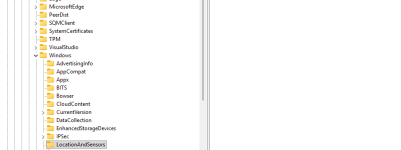
open hkey_local_machine
software
policies
microsoft
windows
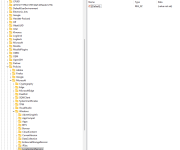
locationandsensors
if there is anything in there besides default you have 2 options
1. delete entries
2. modify entries by changing the 1 to 0
restart pc this should restore location settings
the only thing that still needs to figured out is to fix Beacon so it doesn't block location setting again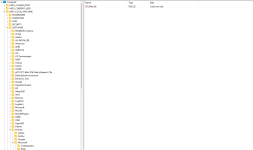
the fix is disable Beacon else the change will revert back
to do this you need to open run command and type in services.msc and hit enter
look for Spybot Anti-Beacon Interceptor Right click and select Properties
under startup type: select disable
press windows key +r
type regedit hit enter
open hkey_local_machine
software
policies
microsoft
windows
locationandsensors
if there is anything in there besides default you have 2 options
1. delete entries
2. modify entries by changing the 1 to 0
restart pc this should restore location settings
the only thing that still needs to figured out is to fix Beacon so it doesn't block location setting again