
You are using an out of date browser. It may not display this or other websites correctly.
You should upgrade or use an alternative browser.
You should upgrade or use an alternative browser.
Scan result questions
- Thread starter dFolger
- Start date
Thanks for the reply:I recently "upgraded" from the free version 1.6.2 to Spybot + AV Professional Edition 2.9 .
The latest scan found a lot of items, I am happy that none were viruses nor spyware , but why to I get results of
"open with" , "agen (is not)", and run history?
Ran a new scan, results showing "Open With" & " "Run History" shown in this screen shot:
Thanks,
dFolger
Attachments

Just finished the scan and deselected all the "results", except the tracking cookies.
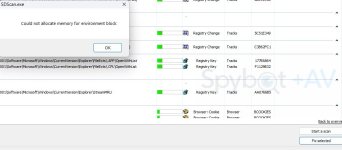
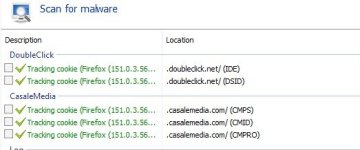
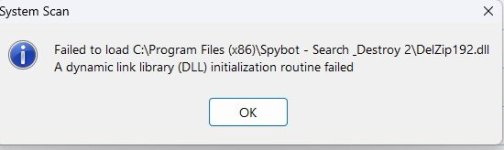
I then attempted to clean the tracking cookies. Received a series of errors.
I have attached screen shots.
The 3rd one shows the tracking cookies, but now with a green check icon.
Thanks,
dFolger
I then attempted to clean the tracking cookies. Received a series of errors.
I have attached screen shots.
The 3rd one shows the tracking cookies, but now with a green check icon.
Thanks,
dFolger
Attachments

an_do
Member of Team Spybot
This basically just means what the Windows Explorer will use trying to open certain file types (e.g. endings: .CSV)Thanks for the reply:
Ran a new scan, results showing "Open With" & " "Run History" shown in this screen shot:
Thanks,
dFolger
It is interesting to see this happen. We had problems like that some years ago with older installers, but quickly got rid of that. Here is a link with information to this file: https://www.exefiles.com/de/dll/delzip192-dll/ To resolve problems, you can download the file and put it in your Spybot program folder. Another option would be reinstalling the program.